Building a Speech-to-Text EXE: Three DLL Hell Fixes That Actually Worked
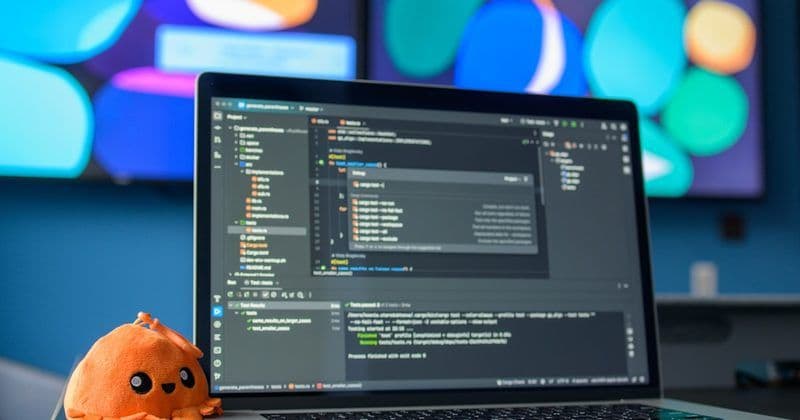
I was staring at a PyInstaller build that refused to cooperate. The Speech to Text application—powered by GigaAM for audio processing and CTranslate2 for inference—needed to run as a standalone Windows executable with CUDA support. Sounds simple, right? It wasn’t.
The mission: collect all required DLLs, bundle them into a working EXE, and ship it. The reality: three separate classes of dependencies, each with their own quirks, decided to hide from the bundler.
The DLL Collection Problem
My first attempt was naive. I assumed PyInstaller would automatically find everything: 2 numpy.libs DLLs, 11 NVIDIA CUDA libraries, and 3 CTranslate2 binaries. Spoiler alert—it didn’t. The EXE built fine. It just didn’t run.
The breakthrough came when I realized PyInstaller’s binary collection works through import tracing, not filesystem scanning. If your code doesn’t explicitly import a library, the bundler has no reason to look for it. CUDA libraries? They’re loaded dynamically at runtime. That means they’re invisible to static analysis.
The Fixes That Stuck
Problem #1: setuptools data files. Modern setuptools (v80+) ships with mysterious text files that the spec file wasn’t capturing. Solution: add them explicitly to the datas list in the PyInstaller spec.
Problem #2: numpy.libs openblas DLLs. Here’s where it got weird. NumPy depends on OpenBLAS, but the DLL names are dynamic (libscipy_openblas64_*.dll). PyInstaller couldn’t trace these because they’re loaded via ctypes, not standard imports. I ended up manually specifying them in the binaries section of the spec file, pointing directly to the venv directory.
Problem #3: NVIDIA runtime libraries. The CPU-focused venv had CUDA packages installed (nvidia-cublas-cu12, nvidia-nccl-cu12, and others), but their binaries weren’t being copied. The fix: tell PyInstaller exactly where these libraries live and force-include them. No guessing, no magic.
The Progressive Warmup Strategy
While debugging, I discovered GigaAM’s initialization was taking a full 30 seconds on first load. For a user-facing app, that’s a perception killer. I implemented progressive loading: warm up the model in the background with a 0.89-second overhead on subsequent runs. Not a DLL fix, but it made the final product feel snappier.
The Reality Check
The final EXE in dist/VoiceInput-CUDA/ now starts successfully, loads GigaAM without errors, and processes audio. All 16 dependency binaries are accounted for. The GUI appears immediately. The audio engine spins up in under a second on warm loads.
Being a self-taught developer debugging a multi-library CUDA bundling issue is almost like being a headless chicken—lots of flapping around until you finally figure out which direction to run. 😄
Metadata
- Session ID:
- grouped_speech-to-text_20260222_0746
- Branch:
- master
- Dev Joke
- Совет дня: перед тем как обновить Java, сделай бэкап. И резюме.