ScribeAir — Offline Speech-to-Text for Windowsv2.2.4
Voice input and speech recognition on Windows without the cloud. 3.3% WER on Russian, speaker diarization for meeting transcripts, five modes for different recording profiles. Free, open source.
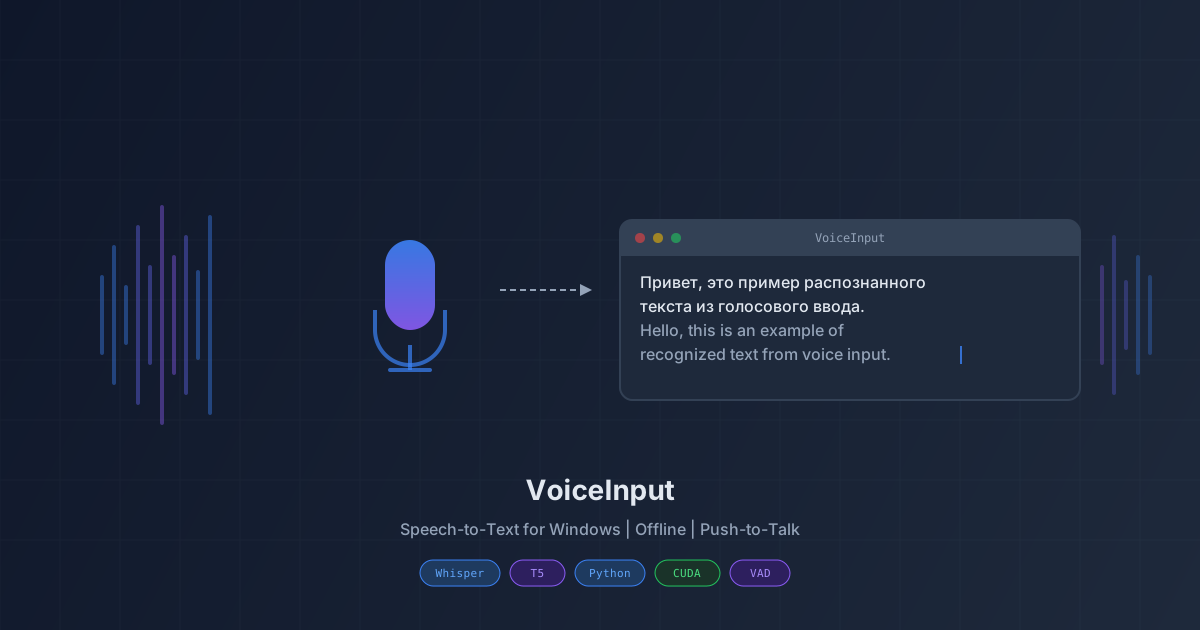
Screenshots
Documentation
ScribeAir turns speech into text at the cursor in any program. Hold a hotkey, say the phrase, and it appears where you were typing: an editor, a chat, an email, source code. Audio is processed locally and never leaves your computer.
The app helps anyone who dictates faster than they type: on calls, when transcribing interviews, when writing documentation. The models are tuned for Russian, where they outperform the usual alternatives. The main one is GigaAM by Sberbank, trained on 700,000 hours of Russian speech. On clean recordings it scores 3.3% word error rate — better than Google Speech-to-Text (around 10%) and Dragon (around 8%).
How you use it
After launch a microphone icon appears in the system tray. Once models finish loading, the icon goes dim and recording becomes available. Two ways to record:
- Hold the configured hotkey (Win+Ctrl by default), say your phrase, release — text appears at the cursor.
- Turn on wake-word activation and say "запись". To stop, say "стоп". Hands-free, no keys involved.
While recording, a small overlay floats above other windows: you see what is being recognised right now and whether the microphone is picking anything up at all.
Five recognition modes
You switch between them in a couple of seconds from the tray menu — no reinstall. Each mode is a concrete set of models matched to a concrete recording profile.
Auto. On a machine with an NVIDIA GPU, audio goes to Whisper; on CPU-only machines, GigaAM for Russian and Whisper for English or mixed. Sensible default.
Hybrid. Both models loaded at once. Each speech segment routes to its language: Russian to GigaAM, English to Whisper. Useful for conversations with language switching, for presentations with English terms in Russian context.
Cascade AO. The Russian-tuned Whisper takes the first pass. If it itself signals low confidence in the result (its segment log-probability drops below -0.20), the output is replaced with GigaAM's. This mode helps on variable-quality recordings: meetings with remote participants, dictation into a quiet microphone, noisy rooms. It also clears Whisper's signature hallucinations that slip in on short or unclear fragments: false subtitle credits ("Корректор А. Семкин", "Субтитры создавал DimaTorzok"), repeating "Thank you. Thank you." loops, accidental Icelandic streams.
Whisper. Whisper only. Pick it when you need a universal multilingual model and a GPU is available.
GigaAM. GigaAM only. Lowest latency (0.66s on CPU), punctuation built into the model, returns an empty string on silence rather than a made-up phrase. Single catch: Russian only.
Meeting and interview transcription
Speaker diarization is built in. pyannote-segmentation-3.0 finds turn boundaries; the WeSpeaker network produces a voice embedding for each speaker; voices cluster into stable identifiers. The output text contains labels like [Speaker 1]:, [Speaker 2]:, up to four speakers.
When you stop recording, the Stage N pass kicks in: pyannote re-segments the whole recording with full context, and each turn is then transcribed end-to-end. Punctuation becomes meaningful — the model doesn't have to guess where a phrase, cut mid-word, was supposed to end. With Cascade AO selected, you get meeting minutes ready to paste into a document.
Very short replies (one-word "yes") need at least 1.5 seconds of audio so the network can build a stable voice embedding. Anything shorter may attach to the previous speaker. The final Stage N pass fixes most such cases.
Who benefits
Developers and technical writers. The app substitutes Latin names where you speak Russian: «питон» becomes Python, «гугл» — Google, «питест» — pytest. The pymorphy3 library parses Russian cases and word forms, so «питоне», «питоном», «питонов» all map to Python as well. The default dictionary contains 81 terms and is easy to extend through the settings file.
Anyone recording calls. Pick Cascade AO, tick the speaker diarization checkbox, record with the usual hotkey. After stop you have speaker-labeled text ready for editing or for uploading into a meeting-minutes system.
Journalists and bloggers. Long-form dictation and interview transcription run streaming. Progress is visible immediately — no waiting for the recording to finish.
People with limited hand mobility. Wake-word activation replaces every hotkey and lets you drive the app by voice alone.
Quality and speed
Benchmarks on Russian audiobooks. Word error rate and time to process one utterance:
- GigaAM v3-e2e-rnnt: 3.3% word error rate, 0.66s on a single CPU core, 0.40s on GPU.
- Whisper large-v3-turbo on GPU: 7.9%, 0.44s.
- Whisper large-v3 on GPU: 8.8%, 2.30s.
- Whisper base on CPU (baseline): 32.6%, 0.42s.
On a separate 1717-sample mixed-quality set — quiet sections, distant voices, noise — Cascade AO scores 9.4% errors versus 10.2% for Whisper and 10.9% for GigaAM alone. The combination is more accurate than either model in isolation precisely on difficult recordings.
For reference, Windows native voice typing produces about 25% errors on Russian, Google Speech-to-Text about 10%, Dragon about 8%. GigaAM on CPU is more accurate than any Whisper running on an RTX 4090 GPU.
Technology
The stack is conservative — proven libraries, no in-house experiments dragging huge dependencies:
- Speech recognition: faster-whisper on CTranslate2 for Whisper, onnx-asr for GigaAM. The same interface works on CPU and GPU.
- Voice activity detection: Silero VAD in ONNX. Reacts in milliseconds, doesn't miss speech, doesn't hang on long pauses.
- Speaker diarization: pyannote-segmentation-3.0 for turn boundaries, WeSpeaker (voxceleb-resnet34-LM) for voice embeddings. Both ONNX — no PyTorch or TensorFlow on the user side.
- Wake-word activation: openWakeWord with a custom bi-LSTM model on "запись" and "стоп". Trained on 1000+ synthetic samples from five voices plus a real-microphone set.
- Morphology: pymorphy3 parses Russian cases and word forms when replacing IT terms.
- Interface: tkinter for the settings window and the floating overlay, pystray for the tray icon.
- Packaging: PyInstaller with a side-by-side install layout. Updates land next to the old build without touching the running process.
System requirements
- Windows 10 or Windows 11, x64.
- 8 GB RAM is enough for the CPU build; 16 GB is more comfortable with the CUDA build.
- Any microphone — USB or laptop-built-in.
- Optional: NVIDIA with 4 GB VRAM or higher, CUDA 12.x with cuDNN 9.x. With such a GPU recognition is faster than you can speak.
Privacy
Audio, transcripts and intermediate results stay on the computer. The app sends nothing on its own, except in two explicit cases:
- Once an hour an update check goes to the project mirror to fetch a signed manifest. The check is easy to disable in Settings.
- If you have opted in to crash reporting, a crash sends a log tail and system info. Audio is never part of the report. The receiving endpoint is configurable.
No behavioural analytics, no advertising identifiers, no telemetry. MIT-licensed, source code is fully open.
Updates and release channels
Updates are signed with an Ed25519 key and flow through two channels. Stable is on by default — only vetted builds. Beta is where new versions land first under suffixes like v2.0.10-beta1; stable users never see them. If a new version fails to start, the app rolls back to the previous one automatically.
Installation
The GitFlic releases page hosts two ZIP builds: CPU (about 180 MB) and CUDA (about 2.7 GB). Download, unzip, run ScribeAir.exe. Models auto-download on first launch; everything works offline afterwards.
If HuggingFace is blocked by your ISP, the repository describes a manual install procedure using the project mirror.